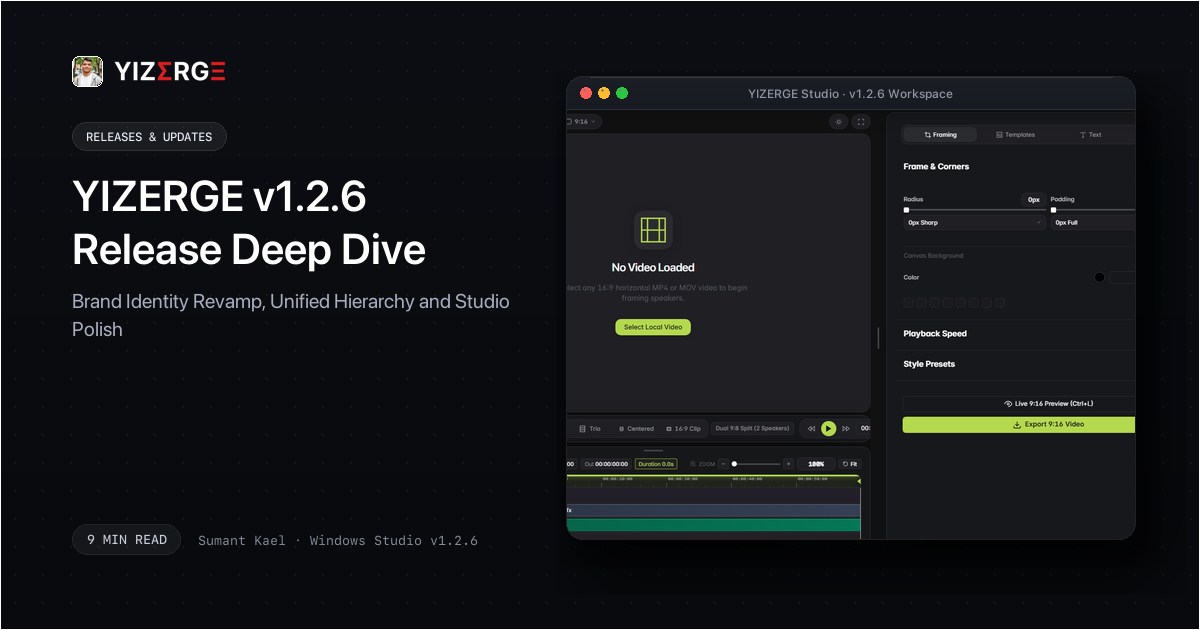
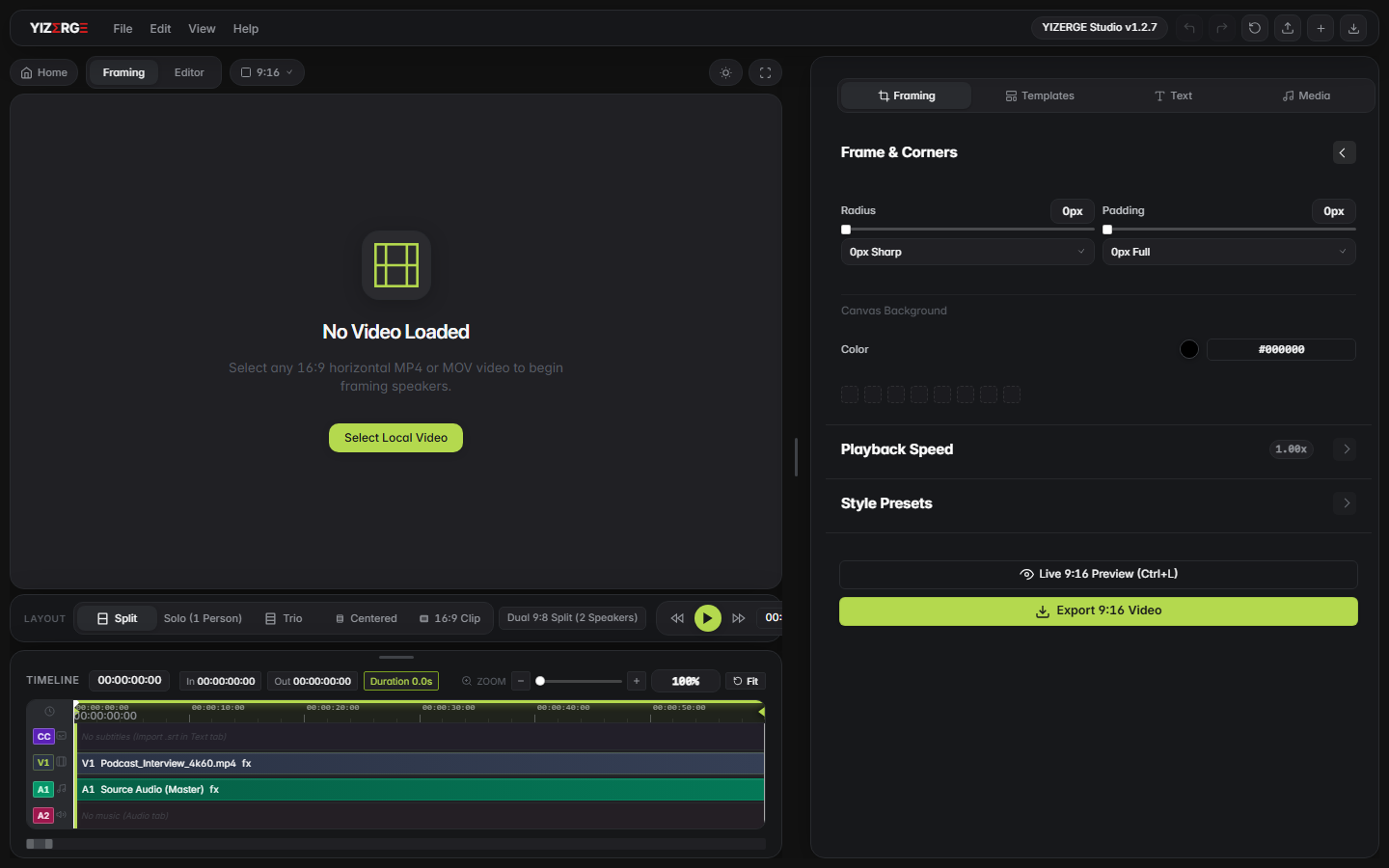
- Revamped the brand identity across every studio surface, establishing an elevated, professional visual hierarchy with superior contrast and creator ergonomics.
- Re-engineered timeline range markers, active playhead stem gradients, and sub-millisecond hover inspection tooltips with cohesive brand styling.
- Refreshed contextual focus rings, active feature toggle dots, dropdown items, and slider thumb accents across text, audio, layout, and watermark inspectors.
- Streamlined active bubble styling buttons, casing transformation popovers, and font family selection lanes with crisp contrast and fluid interaction feedback.
- Synchronized color swatch highlights and custom preset slots under the unified brand design system for seamless workflow consistency.
The Brand Revamp Philosophy: Elevating Professionalism & Visual Hierarchy
High-volume video creation requires intense visual focus. When editors spend hours framing viral shorts, synchronizing animated captions, and tuning audio dynamics, every unnecessary visual artifact causes cognitive friction. In YIZERGE v1.2.6, we completed a thorough brand revamp to establish a crisp, modern, and cohesive aesthetic across both our native desktop studio and web presence.
The core objective was to elevate the software from functional utility to an ultra-refined, professional creative suite. By standardizing contrast ratios, refining control surfaces, and implementing a unified design token system, v1.2.6 delivers immediate visual legibility while keeping the creator's video canvas at center stage.
Visual Ergonomics
Engineered to reduce ocular fatigue during marathon editing sessions, balancing contrast across dark obsidian and light modes.
Precision Kinetic Focus
Vital controls, playheads, and active trim markers stand out with instant clarity without distracting from footage composition.
Unified Token System
Seamless design token parity connecting timeline markers, property inspectors, dialog popovers, and website documentation.
Distraction-Free Speed
Minimizing visual clutter so video creators can ingest footage, frame speakers, apply subtitles, and export in minutes.
The Structural Heart: Visual Identity Evolution & Workflow Core
At the center of every powerful creative tool is a living, rhythmic engine: the core feedback loop that coordinates user interaction, real-time media decoding, and canvas rendering. To illustrate the transformation from our earlier visual foundation into the newly revamped brand identity, we mapped out the anatomical core of the YIZERGE desktop studio.
The diagram reflects how the application balances technical precision with visual clarity. On the left, our earlier visual state provided solid functionality but lacked cohesive visual accentuation. Passing through the living system heart of YIZERGE, the revitalized v1.2.6 design language emerges with unified tokens, vibrant playhead markers, and tactile micro-interactions that make editing intuitive and satisfying.
Timeline & Scrubber Mechanics: High-Precision Editing at 60 FPS
The timeline is where creators spend the majority of their time: scrubbing to speech cadence, aligning punch-cuts, and fine-tuning karaoke caption boundaries. In v1.2.6, we focused heavily on timeline ergonomics:
- Active Playhead Dynamics: The timeline playhead stem now features a luminous gradient with calibrated drop shadow depth, guaranteeing instant visibility against both dark obsidian video clips and transparent background tracks.
- In and Out Point Markers: Framing range markers have been rebuilt with crisp vertical boundaries and high-contrast bounding deadbands, making punch-in regions instantly recognizable.
- Sub-Millisecond Inspection Tooltip: Hovering across the timeline ruler invokes an instant inspection badge with micro-second timecode readouts, rendered with cohesive brand accents and zero frame-rate stutter.
Inspector & Subtitle Tooling: Tactile Micro-Interactions
Configuring vertical video properties requires precision across hundreds of micro-interactions. In v1.2.6, we refreshed every panel control in the right inspector column:
- Contextual Focus Rings: Text inputs, font search fields, and numerical scrubbers now display smooth, high-clarity focus rings that visually confirm active input focus without jarring transitions.
- Feature Toggle Dots: Active switches across background effects, drop shadows, watermarks, and outro cards feature illuminated accent dots that signal active state at a glance.
- Caption Bubble Styler: The floating subtitle formatting bar received updated pill buttons, active casing toggles, and font family selection lanes with refined contrast in both dark and light modes.
- Color Preset Swatches: Custom preset color slots and swatch rings are now seamlessly synchronized with the studio token system, preventing visual drift across sessions.
Before & After Matrix: Measuring Creator Ergonomics & Workflow Velocity
To summarize how the brand identity revamp elevates everyday creator productivity, the comparison table below outlines the core functional improvements between earlier builds and YIZERGE v1.2.6:
| Workspace Element | Earlier Aesthetic | Revamped v1.2.6 Identity | Creator Ergonomics |
|---|---|---|---|
| Brand Visual Language | Subdued monochrome with scattered accent highlights. | Elevated professional brand design. | Clear visual hierarchy and reduced ocular fatigue during long sessions. |
| Timeline Scrubber & Stem | Standard flat playhead needle with basic contrast. | Luminous gradient stem with calibrated drop shadow. | Effortless tracking during high-speed timeline scrubbing at 60 FPS. |
| In / Out Trim Bounds | Faint boundary lines occasionally blending into dark tracks. | High-contrast framing markers and active deadbands. | Instant recognition of active export range and video boundaries. |
| Inspector Status Dots | Muted gray dots indicating active features. | Luminous active status badges across all panels. | Instant clarity on which audio, video, and text effects are enabled. |
| Subtitle Bubble Controls | Basic button states with subtle hover response. | Tactile pill buttons and refined casing popovers. | Faster caption styling, font selection, and karaoke word timing. |
| Token Consistency | Multiple decoupled style rules across separate CSS files. | Unified design token system design across app and web. | Zero styling drift between desktop application and documentation. |
Frequently Asked Questions
As YIZERGE grew from an internal repurposing utility into a full-scale vertical video suite, we recognized that creators needed a cleaner, more professional, and visually ergonomic workspace. The revamp establishes an elegant, distraction-free creative environment optimized for rapid production.
No. In fact, by eliminating redundant CSS calculations and unifying style tokens, canvas redraw cycles run at locked 60 FPS. Video encoding continues to use our high-performance hardware NVENC export pipeline with zero compromise in speed or visual quality.
No. Project serialization in v1.2.6 maintains 100% backward compatibility. Any project file or custom template created in earlier versions opens cleanly with all framing coordinates, subtitle styling, and audio levels fully preserved.
If you have an earlier build installed, YIZERGE automatically detects the new release on startup and provides a 1-click update prompt. You can also download the standalone Inno Setup installer or portable zip package directly from our official website Changelog.
Become an Early Tester for YIZERGE
We are inviting video creators to test upcoming Windows builds. Experience zero-degradation local GPU rendering, dynamic karaoke subtitles, and sub-frame precision.