- Whole-Video Template Engine & 13 Social Styles: Instant layout cards for Twitter/X (Light & Dark), LinkedIn Pro, Threads, TikTok/Reels Hook, Podcast Show, Breaking News, Minimalist Quote, Smartphone Mockup, Creator Glow, Dev Terminal, YouTube Shorts Banner, and Viral Comment Spotlight.
- Dynamic Background Blur Engine: Live canvas stage background blur with 5px-50px slider, instant presets (Subtle, Medium, Heavy), background image blur, direct stage video dragging, decoupled padding, and 1:1 FFmpeg boxblur GPU export parity.
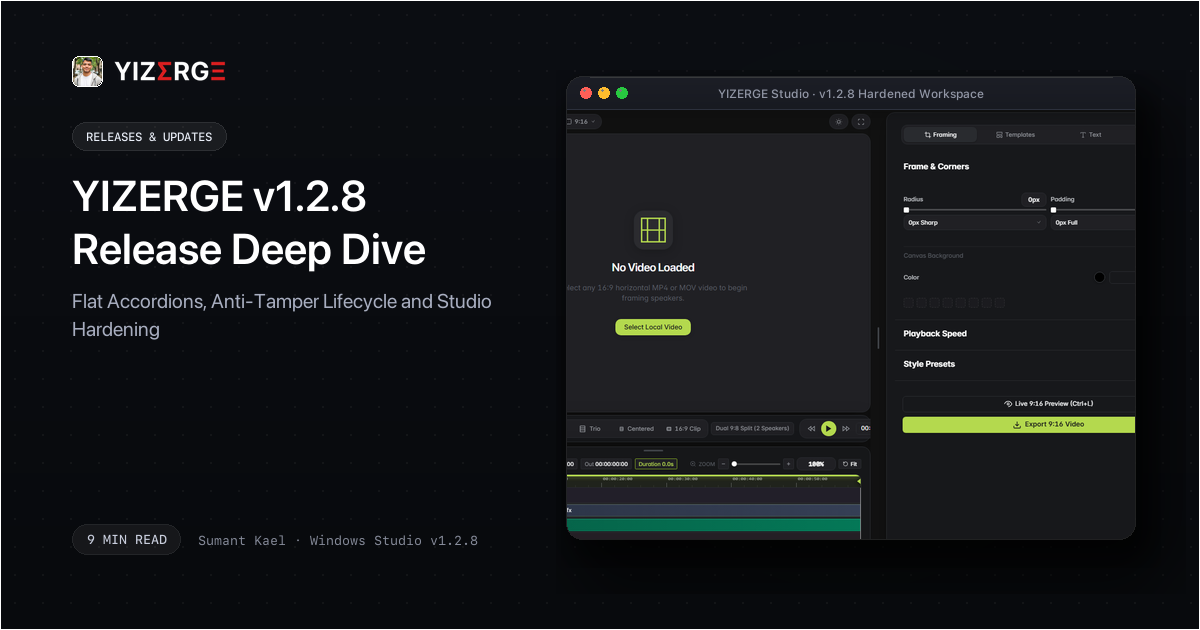
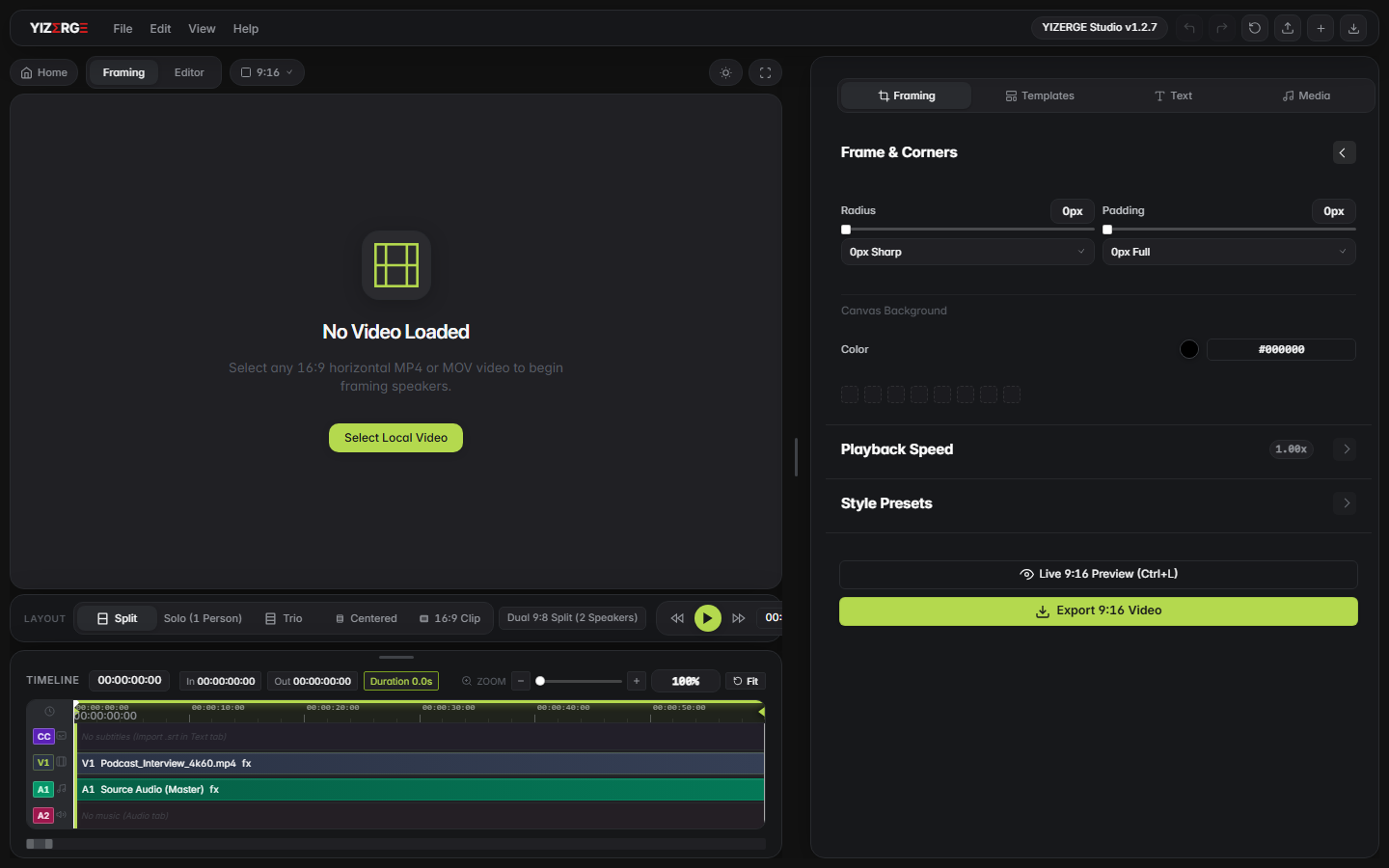
- Streamlined Flat Inspector Accordions: Replaced nested visual boxes with minimal flat accordion dividers (#e5e5e5), elevated header hierarchy, isolated sidebar tab state, and eliminated border preview flashes during scrubbing.
- Precision Watermark & Social Typography: Resized social media icons (Instagram, YouTube, TikTok, X) to match text height with zero vertical wobble, upgraded high-res Instagram vector, and added secondary watermark handles.
- In-Studio Audio Engine & Glitch Fixes: In-editor background music playback with dynamic ducking & riser curves, track mute states, audio offset seek, and strict audio resample synchronization eliminating audio popping and export audio drift.
- Export Duration Precision & 60 FPS GPU Rendering: Upgraded stream container probing in media_probe to microsecond accuracy, eliminating clipped tails or trailing black frames, backed by standard 60 FPS NVENC/AMF encoding.
- Advanced Text Styling & Modal Theming: Integrated drop shadow blur sliders (0px to 50px), stroke outlines with color pickers, sub-frame karaoke highlight timing, and synchronized light/dark modal elevation.
- Anti-Tamper 30-Day Testing Lifecycle: Integrated automated 30-day testing cycle monitoring with anti-tamper clock verification, graceful deprecation prompt, and a strict permanent safety guarantee for all .yizerge project files and exports.
Whole-Video Template Engine: 13 Production Social Card Styles & Live Stage Compositor
Social media feeds move fast. When creators post raw horizontal video cropped awkwardly into vertical mode, engagement drops. Audiences have been trained to stop scrolling when they recognize authentic post formats: a viral tweet, an insightful LinkedIn card, a Threads discussion loop, or a breaking news broadcast banner.
In YIZERGE v1.2.8, we built an entirely native Whole-Video Template Engine from scratch. Accessible via a dedicated Template Library Modal, creators can preview and apply 13 complete layout systems with a single click. When a template is selected, YIZERGE automatically configures framing aspect ratios, title positioning, subtitle coordinate boundaries, author badges, and brand aesthetics.
The 13 built-in styles cover every major content distribution format:
- Twitter / X (Light) & (Dark): High-fidelity social post cards featuring author avatar, name, handle, dynamic engagement metrics (reposts, likes, bookmarks), and an official Twitter Blue verified rosette checkmark.
- LinkedIn Post (Pro): Executive profile header with connection status, follower count, clean card borders, and prominent title typography.
- Threads Minimalist: Ultra-clean dark aesthetic with authentic Threads typography and subtle vector reply loop.
- Viral TikTok / Reel Hook: Dual-banner framing engineered specifically for maximum short-form retention with top hook text and bottom CTA tag.
- Podcast / Studio Show: Elegant lower-third layout with episode number, guest name tag, and studio microphone branding.
- Breaking News Broadcast: High-impact red alert badge with live ticker bar and scrolling-ready lower third banner.
- Minimalist Cinema Quote: Cinematic widescreen letterbox bars with serif quotation typography for thought-provoking audio snippets.
- Smartphone Mockup Frame: Pixel-perfect smartphone bezel surround complete with speaker notch, dynamic island, and home marker bar.
- Creator Studio Glow: Ambient mesh gradient backlight that mirrors video palette highlights onto stage margins.
- Dev / Hacker Terminal: Dark monospaced code editor frame with macOS terminal control dots (red, yellow, green) for programming breakdowns.
- YouTube Shorts Banner: Dedicated channel subscribe pill, verified handle, and top headline banner.
- Viral Comment Spotlight: Authentic comment bubble overlay highlighting viewer questions or hot takes before diving into the video.
Under the hood, our TemplatesEngine uses dynamic coordinate translation (ref_sx, ref_sy) to scale bounding boxes responsively without clipping or aspect ratio distortion. All icons - such as verified badges, hearts, reply loops, and retweet arrows - are rendered as pure mathematical canvas vectors. We deliberately avoided emojis, ensuring crisp 4K rendering across any resolution without platform-dependent rendering bugs.
Dynamic Background Blur Engine & Stage Canvas Framing
When horizontal 16:9 video is placed onto a 9:16 vertical canvas, raw black bars at the top and bottom make content feel unfinished and amateurish. In v1.2.8, we introduced an ultra-responsive Stage Background Blur Engine that transforms margin space into a dynamic, atmospheric backdrop.
The blur engine duplicates the active video track onto a dedicated stage canvas (#centered-stage-blur-canvas) in real time. As your video plays, the background responds dynamically to scene shifts, colors, and lighting changes with zero timeline lag.
Key highlights of the framing overhaul include:
- Instant Blur Presets: Choose between Subtle (10px) for a clean atmospheric wash, Medium (20px) for balanced diffusion, or Heavy (35px) for complete background abstraction, with continuous manual slider adjustment from 5px to 50px.
- Custom Image Blur: Creators who upload custom wallpaper backgrounds can apply independent blur controls (0 to 25px) to prevent busy textures from conflicting with on-screen subjects.
- Direct Canvas Dragging: Powered by
initFramingCenteredVideoDragger, creators can click and drag video clips directly on the stage preview to reposition subjects intuitively without manually tweaking X/Y offset inputs. - Decoupled Corner Radius & Padding: Isolated corner radius (0px to 80px) and margin padding (0px to 120px) so card borders, shadows, and clip masks composite independently without distortion.
- 1:1 Hardware FFmpeg Parity: In our backend GPU export pipeline (
backend/export_pipeline.py), we integrated matching hardwareboxblurfilters with micro-tuned brightness and saturation compensations (eq=brightness=-0.08:saturation=1.1), ensuring that exported 60 FPS MP4s look identical to what you see on the interactive canvas.
Streamlined Flat Inspector Accordions: Visual Hierarchy Without Friction
When repurposing long-form widescreen video into high-retention vertical shorts, property inspectors must provide immediate feedback without visual distraction. In prior builds, multiple layers of nested borders and hover outlines created visual clutter. When expanding property sections, subtle border shifts caused momentary visual flashes that interrupted creative concentration.
In YIZERGE v1.2.8, we rebuilt the property inspector layout system. Nested card outlines were replaced with sleek, full-width flat dividers (#e5e5e5) and unified header typography. Accordion open and close actions now operate with zero visual displacement, preserving focus on creative adjustments.
Furthermore, sidebar tabs (Framing, Text, Media, Templates, Settings) have been strictly isolated in state. Navigating across tabs no longer causes layout shifting or unintended cross-panel property bleed.
Precision Watermarking: Micro-Aligned Icons & Dual Brand Handles
Branding is vital for creator distribution across TikTok, Instagram Reels, and YouTube Shorts. However, nothing looks more amateurish than an oversized social icon sitting uncomfortably taller than the text beside it.
In v1.2.8, we overhauled src/media/watermark.js to enforce strict micro-alignment between social brand icons and accompanying text handles:
- Proportional Icon Sizing: Vector icons for Instagram, YouTube, TikTok, and X are now mathematically scaled to match the capital letter height (cap-height) of the chosen font family, eliminating awkward vertical offsets and oversized logos.
- Upgraded Instagram Vector: Replaced low-resolution bitmap icons with a high-resolution, gradient-mapped SVG vector asset with authentic multi-stop corner gradients.
- Dual Watermark System: Introduced full support for secondary brand watermarks. Creators can now position a primary channel watermark in one corner and a secondary social handle or website URL in another, each with independent font, size, opacity, and color.
- Interactive On-Monitor Dragging: Watermarks can be positioned directly on the stage viewport with snap-to-edge guidelines and live coordinate badges.
In-Studio Audio Engine: Real-Time Ducking, Riser Curves & Audio Glitch Fixes
In previous releases, fine-tuning background music ducking required exporting test clips to verify whether voice narration sat cleanly above the music bed. In YIZERGE v1.2.8, we built the AudioEngine (src/audio/audio.js) to bring real-time audio playback directly into the editing workspace.
Creators can now hear background music inside the editor as they scrub through the timeline. When dialogue occurs, the engine dynamically applies smooth volume ducking curves in real time, and applies gentle riser curves to bring music back up during dialogue pauses.
We also tackled long-standing export audio edge cases in our FFmpeg rendering engine:
- Strict Asynchronous Audio Resampling: Enforced
aresample=async=1000to prevent micro-drifts between video frames and audio sample buffers during variable framerate (VFR) input processing. - PTS Normalization: Added
asetpts=PTS-STARTPTSacross audio filter chains, eliminating audio popping, clicks, and tail clipping at video transitions. - Outro Audio Fades: Integrated seamless audio crossfades with animated outros, ensuring clean decibel rolloff without abrupt cuts.
Export Duration Microsecond Precision & 60 FPS Hardware Encoding
One of the most frustrating glitches in video export pipelines is when an exported file ends with a fraction-of-a-second frozen black frame or cuts off the final syllable of an outro audio cue. This typically stems from rounding errors between container duration and video stream packet timestamps.
In v1.2.8, we completely overhauled backend/media_probe.py to calculate video durations using microsecond-accurate stream probing. By reconciling stream timebases directly against audio sample counts, YIZERGE ensures that exported videos end on the exact intended frame.
Exports continue to leverage standard 60 FPS hardware GPU acceleration across NVIDIA (NVENC), AMD (AMF), and Intel (QSV) chipsets, delivering rendering speeds up to 4.8x faster than CPU-only encoding.
Advanced Text Styling: Shadow Blur, Outlines & Sub-Frame Karaoke
To ensure titles and dynamic captions pop against varying background footage, text styling requires fine-grained control over shadows and borders. In v1.2.8, we brought extensive text styling capabilities to headlines, subtitles, and templates:
- Custom Drop Shadow Blur: Added dedicated shadow blur sliders (0px to 50px) for headlines and subtitles, allowing creators to dial in everything from sharp graphic drops to soft atmospheric shadows.
- Stroke Outlines with Live Color Sync: Configure outline widths from 0 to 12px with instant color swatch synchronization across theme palettes.
- Sub-Frame Karaoke Timing: Our subtitle timing parser in
backend/subtitles.pynow aligns karaoke word highlights with microsecond audio peaks, ensuring captions illuminate in exact cadence with spoken speech.
Unified Modal Hierarchy & Color Picker Synchronization
Visual cohesion across an entire creative application builds muscle memory and trust. In v1.2.8, we harmonized modal elevations and color picker interactions across every dialog in the studio.
Whether opening the New Project dialog, Keyboard Shortcuts, Template Library, Settings, or Beta Expiry modal, dialogs now feature consistent backdrop blur elevations and instant Light and Dark theme overrides. The color picker infrastructure (src/ui/color_picker.js) has been unified to synchronize hex inputs, RGB/HSL sliders, alpha transparency, and recent swatch memory across text, backgrounds, watermarks, and templates.
The 30-Day Testing Lifecycle Engine: Reliable Data Safeguards
Testing pre-release developer preview software requires a balance between distributing cutting-edge performance updates and ensuring test feedback remains timely. In v1.2.8, we introduced an anti-tamper testing lifecycle monitor that automatically manages beta duration while guaranteeing that creator media and projects remain permanently safe.
Think of the 30-day testing window like a cleanroom testing pass. It ensures that everyone testing the studio is running modern, synchronized encoding libraries rather than outdated builds. When the testing window concludes, only the preview application displays an update notice. Every single .yizerge project file, audio track, subtitle timeline, and exported video file remains 100% untouched and safe on your local drive.
Permanent Guarantee: Beta retirement touches ZERO project assets. All exports, templates, and project files (.yizerge) are permanently safe.
Hardened Production Bundling: Code Obfuscation and Zero Source Exposure
A native Windows desktop application should deliver uncompromising runtime performance while maintaining disciplined code packaging. In v1.2.8, we enhanced our production release pipeline with automated bundling and security auditing.
During compilation, our bundler gathers all 37 modular JavaScript files across timeline logic, subtitle parsing, video framing, and canvas rendering. It compresses and mangles function structures, strips whitespace, and outputs a single hardened production payload (bundle.min.js). The build pipeline then executes an automated security audit that scans the distribution directory, ensuring that zero raw .py or source files are ever included in the compiled Windows Installer.
Frictionless Beta Portal: Direct Windows Setup Distribution
Friction in software installation wastes creative time. In v1.2.8, we streamlined the private beta distribution flow from confirmation email straight to Windows desktop.
Subscribers clicking their invitation link arrive with verified credentials automatically parsed from the URL. The portal bypasses all gating dialogs, displays a 1-second countdown banner, and begins downloading the official Windows Setup Installer (.exe) automatically. With the installer handling desktop shortcuts and file associations cleanly, creators can launch into vertical editing in seconds.
Frequently Asked Questions
Navigate to the Templates tab in the left sidebar and click 'Choose a Video Template' to open the Template Library Modal. Click on any style (such as Twitter Light, LinkedIn Pro, or Smartphone Mockup) to apply it instantly. Framing, text placement, and subtitle boundaries adjust automatically.
During real-time preview, the blur engine uses hardware-accelerated canvas filters. During export, our GPU pipeline applies downscaled boxblur passes combined with brightness/saturation matching (eq=brightness=-0.08:saturation=1.1) rendered directly through NVENC or AMF hardware encoders.
Yes! In v1.2.8, simply click and drag your video clip directly inside the stage preview viewport. The direct canvas dragger recalculates framing coordinates smoothly in real time.
When the testing cycle reaches deprecation, the studio prompts you to download the latest version drop (v1.2.9). All your saved .yizerge project files, customized templates, and exported MP4 media remain permanently safe on your computer.
The AudioEngine plays background music tracks directly inside the editor. When speech is detected on the primary video audio stream, the engine dips background music volume and smoothly ramps it back up during pauses, letting you hear the final mix before exporting.
The Windows Installer ensures hardware-accelerated GPU FFmpeg binaries are installed into standard system paths, registers desktop shortcuts, and automatically associates .yizerge project files with the creative studio.
No. YIZERGE is engineered as a 100% offline, local-first workstation. All video decoding, cropping, caption generation, and 60 FPS GPU rendering execute entirely on your Windows hardware.
Become an Early Tester for YIZERGE
We are inviting video creators to test upcoming Windows builds. Experience zero-degradation local GPU rendering, dynamic karaoke subtitles, and sub-frame precision.