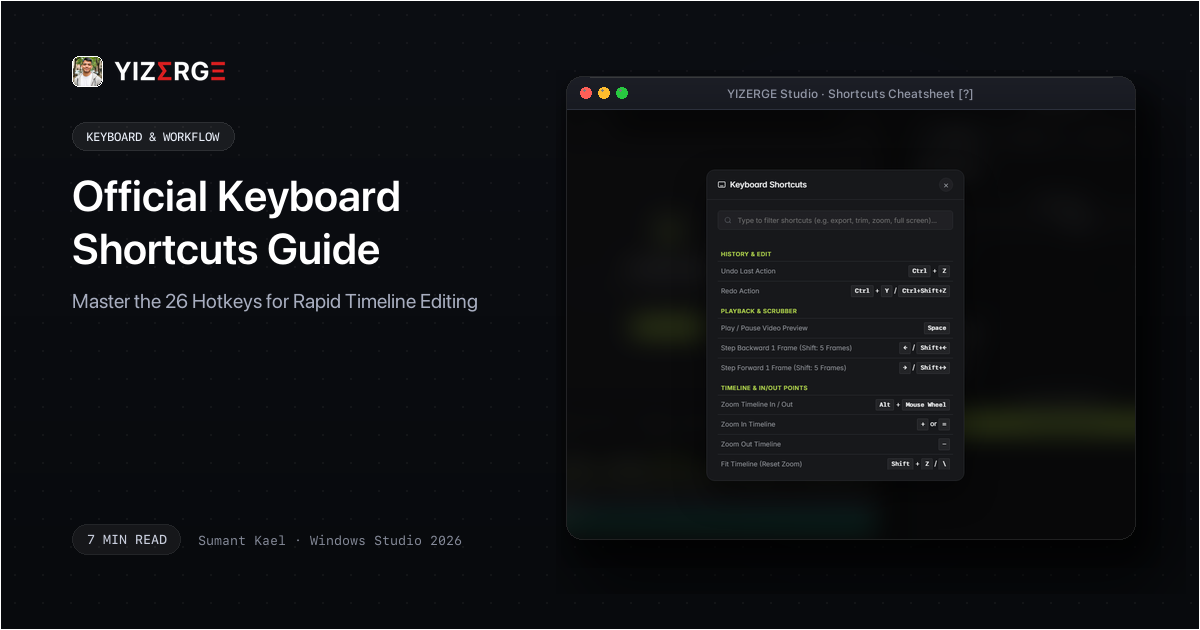
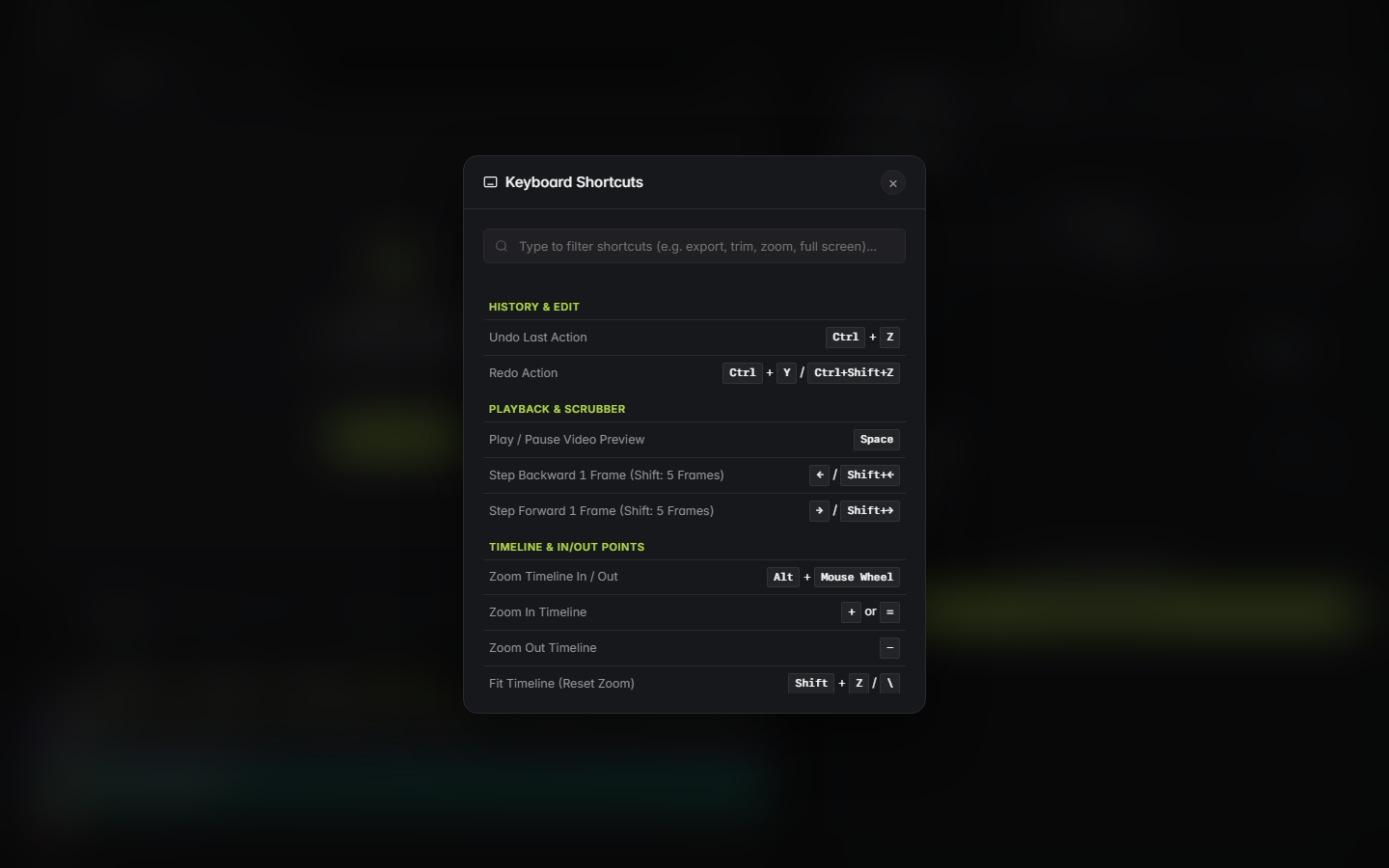
- Press the question mark key (?) anytime on desktop to open the live interactive cheatsheet modal.
- Mobile creators can open the full shortcuts reference panel directly from the top navigation menu.
- Master the arrow frame steps (Left/Right for 1 frame, Shift + Left/Right for 5 frames) to pinpoint vocal transitions.
- Use In-Point (I) and Out-Point (O) with Loop Playback (Shift + L) to isolate viral clips in seconds.
- Bypass confirmation dialogs and render immediately with Direct Quick Export (Ctrl + Shift + M).
- Switch between Framing, Text, and Audio panels instantaneously with Ctrl + 1, Ctrl + 2, and Ctrl + 3.
How to Access the Live Cheatsheet on Desktop and Mobile
Before memorizing every key combination, it is important to know that YIZERGE includes a built-in interactive cheatsheet modal available both in the desktop software and directly on the official website:
- On Desktop Computers: Press the question mark key (?) on your physical keyboard at any time. The modal slides up instantly, displaying the full list of hotkeys grouped by editing function. Press Esc or click anywhere outside the card to dismiss it.
- On Mobile Phones & Touchscreens: While smartphone viewports lack physical keyboard keys, you can open the exact same reference cheatsheet by opening the top mobile navigation menu drawer and tapping Keyboard Shortcuts. This allows creators reviewing workflows on their phones to study hotkey setups without sitting at their editing PC.
Complete 26 Official YIZERGE Hotkeys Reference Table
The complete catalog of 26 official shortcuts is organized into six functional zones:
| Category | Shortcut | Action | Workflow Function |
|---|---|---|---|
| History & Edit | Ctrl + Z | Undo Last Action | Instantly roll back the most recent trim, crop, or subtitle adjustment. |
| History & Edit | Ctrl + Y / Ctrl + Shift + Z | Redo Action | Reapply the previously undone operation without data loss. |
| Playback & Scrubber | Space | Play / Pause Video Preview | Toggles live video and synchronized audio preview playback instantly. |
| Playback & Scrubber | ← / Shift + ← | Step Backward 1 Frame (Shift: 5 Frames) | Single frame nudging for finding exact vocal consonant starts and sentence cuts. |
| Playback & Scrubber | → / Shift + → | Step Forward 1 Frame (Shift: 5 Frames) | Step forward frame-by-frame or jump in 5-frame increments to align subtitle pops. |
| Timeline & In/Out | Alt + Mouse Wheel | Zoom Timeline In / Out | Expands or contracts the timeline view centered precisely on your cursor position. |
| Timeline & In/Out | + or = | Zoom In Timeline | Increases timeline magnification for microsecond audio wave inspection. |
| Timeline & In/Out | - | Zoom Out Timeline | Pulls out to see the overarching pacing of the complete media clip. |
| Timeline & In/Out | Shift + Z / \ | Fit Timeline (Reset Zoom) | Instantly fits the entire video duration to the visible timeline window. |
| Timeline & In/Out | I | Set In-Point at Playhead | Marks the exact starting timestamp for your vertical video clip. |
| Timeline & In/Out | O | Set Out-Point at Playhead | Marks the closing boundary of your vertical video clip. |
| Timeline & In/Out | Alt + X | Clear In / Out Points | Clears marked boundaries and resets playback to the entire source duration. |
| Timeline & In/Out | Shift + L | Lock / Loop Playback | Continuously loops the video between the active In and Out boundaries. |
| View & Fullscreen | Ctrl + L | Switch / Toggle Live 9:16 Preview Tab | Toggles between full canvas mode and the simulated 9:16 smartphone viewport. |
| View & Fullscreen | Ctrl + ` | Toggle Fullscreen Mode | Expands the current preview stage into edge-to-edge borderless fullscreen. |
| Project & Export | Ctrl + S | Save Project (.yizerge) | Saves all coordinates, subtitle tags, blur settings, and timestamps to disk. |
| Project & Export | Ctrl + Shift + S | Save Project As... | Creates a branched project file for versioning multiple iterations. |
| Project & Export | Ctrl + O | Open Project File (.yizerge) | Loads an existing .yizerge workspace with zero asset relinking headaches. |
| Project & Export | Ctrl + N | New Project | Clears the creative stage and initializes a clean vertical session. |
| Project & Export | Ctrl + M | Export Dialog (Settings & Folder) | Opens the full export panel to customize bitrate, codec, and destination folder. |
| Project & Export | Ctrl + Shift + M | Direct Quick Export (Skip Popup) | Instantly dispatches the render job to your local GPU using last-used settings. |
| Inspector & Panels | Ctrl + 1 | Switch to Framing & Layout Panel | Opens the geometric stage controls, subject crop, and background blur settings. |
| Inspector & Panels | Ctrl + 2 | Switch to Text & Subtitles Panel | Focuses the transcript search box, karaoke word timing, and kinetic typography. |
| Inspector & Panels | Ctrl + 3 | Switch to Audio, Outro & Media Panel | Opens background music track controls, ducking sliders, and custom outro videos. |
| General Navigation | ? | Open Keyboard Shortcuts Sheet | Summons the interactive visual hotkeys cheatsheet modal on any screen. |
| General Navigation | Esc | Close Active Modal or Dialog | Dismisses any open modal dialog, shortcuts card, or export popup. |
In/Out Point Isolation & Looping
The core philosophy of YIZERGE is extracting punchy vertical clips from long-form footage with minimal overhead. The In/Out system is the heart of this pipeline:
- Set In-Point (I): Drops the starting boundary of your short-form clip directly at the playhead position.
- Set Out-Point (O): Sets the closing boundary of your clip. YIZERGE instantly updates the highlighted clip region and displays the exact duration counter.
- Clear In / Out Points (Alt + X): Resets the boundaries back to the full source video length.
- Lock & Loop Playback (Shift + L): Loops playback strictly between the In and Out markers. This lets you preview the rhythm and hook of your short continuously until it feels perfect.
Project Management & Direct Hardware GPU Exports
When you have dialed in your framing, social overlays, and dynamic subtitles, exporting should never be a chore. YIZERGE provides two distinct export workflows:
Standard export (Ctrl + M) gives you complete control over destination folder paths, custom bitrates, and hardware encoder selection (NVENC, AMF, or QSV). For creators who edit high volumes of daily content using consistent render specifications, Direct Quick Export (Ctrl + Shift + M) immediately launches background rendering without displaying confirmation windows, saving precious seconds on every single export pass.
Mobile Creator Workflow & Touchscreen Cheatsheet Navigation
While YIZERGE is a native Windows desktop workstation engineered for local GPU performance, modern video creators constantly plan and review footage on their smartphones:
- Instant Mobile Reference: Tap the navigation menu in the upper corner of the website and select Keyboard Shortcuts to open the full interactive modal on iOS and Android devices.
- Touch Navigation Parity: On touchscreen laptops and Windows tablets, single taps position the playhead, two-finger pinches zoom the timeline, and drag gestures pan across audio waveforms.
- Workflow Synchronization: Save your project on your workstation (Ctrl + S) and send rendered clips directly to your phone for final sound and subtitle validation before posting.
Frequently Asked Questions
Tap the hamburger navigation menu at the top of the website and select Keyboard Shortcuts. The interactive modal will open on your phone screen, allowing you to browse and review all 26 shortcuts categorized by function.
Yes. If you access YIZERGE on Windows via a Mac Remote Desktop client, the Command key on your Mac automatically maps to the Windows Ctrl key, allowing you to use Cmd+Z, Cmd+S, and Cmd+M seamlessly.
Ctrl + M opens the standard export modal where you can rename your file, select an output folder, and adjust resolution or frame rate. Ctrl + Shift + M is the direct quick export hotkey: it immediately starts rendering the marked in-out segment using your previous profile, bypassing all confirmation windows.
The current release uses standardized, conflict-free hotkey mappings tuned for high-speed two-handed editing. Custom user rebinding and profile export options are planned for an upcoming software update.
Become an Early Tester for YIZERGE
We are inviting video creators to test upcoming Windows builds. Experience zero-degradation local GPU rendering, dynamic karaoke subtitles, and sub-frame precision.